


Displays on the screen (see 1, Fig. 1), located on the instrument panel (position depends on vehicle specification).
- information messages (trip data, etc.);
- system fault messages (usually accompanied by the «Service» warning lamp coming on);
- warnings (accompanied by the «STOP» warning lamp coming on).
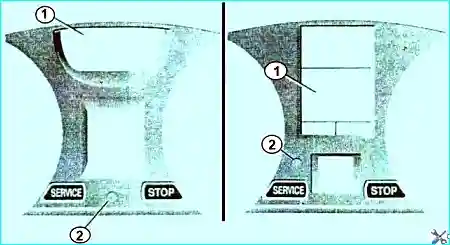
Display selection button (2)
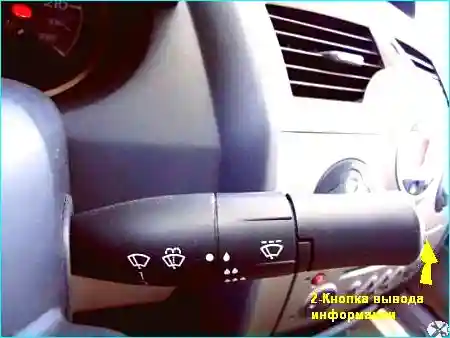
Located on the stalk switch (see Fig. 2).
By pressing this button briefly, the following information is displayed sequentially:
- a) total and trip mileage counters;
- b) trip data:
- fuel consumed;
- average fuel consumption, instantaneous fuel consumption, estimated range;
- distance travelled;
- average speed;
- c) mileage until next scheduled oil change;
- d) set speed (speed limiter/cruise control);
- e) on-board log, sequential display of information and fault messages.
On some models, the information display button also serves as a reset button.
Reset button
Trip mileage counter
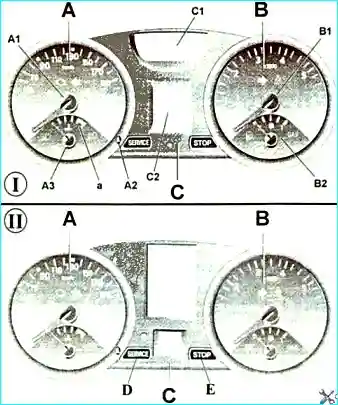
To reset the trip mileage counter, select the «Trip mileage» mode, then hold the button (see A2, Fig. 3) until the display resets.
Trip parameters
After selecting one of the trip parameters, hold the button (3) until the display resets.
Interpretation of some data displayed after resetting the on-board computer.
The greater the distance travelled since the last reset, the more stable and reliable the average speed, average fuel consumption and range values will be.
During the first few kilometres after resetting the computer, the following can be observed:
1) The range with remaining fuel increases while driving.
This is normal, as average fuel consumption may decrease in the following cases:
- the vehicle has finished accelerating;
- the engine has warmed up (and the reset was performed when cold);
- the vehicle has left the city for the motorway.
2) Average fuel consumption increases when the engine is idling.
This is normal, as the computer takes into account the fuel consumed while idling.
Automatic reset of trip parameters
When the memory capacity of one of the storage devices is full, the reset occurs automatically.


