


Removing the Selector Lever Housing
Place the vehicle on a two-post lift
Remove the upper engine covers.
Disconnect the battery.
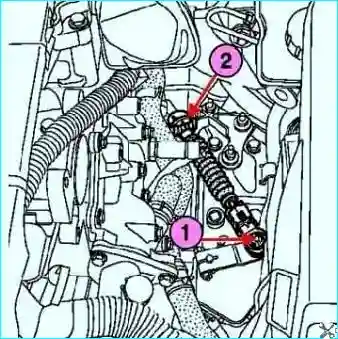
Fig. Removing the multifunction switch cable ball end and actuator cable: 1 - multifunction switch cable ball end, 2 - actuator cable
Remove the multifunction switch cable ball end and actuator cable from the housing stop on the modular connector bracket (Fig. 1).
Remove the diagnostic connector cover.
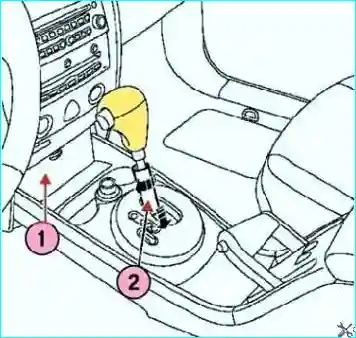
Fig. Removing the diagnostic connector cover: 1 - diagnostic connector cover, 2 - lever component.
Turn the lever component a quarter turn, then lower it (Fig. 2).
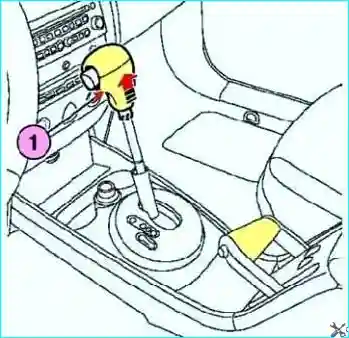
Fig. Removing the selector lever handle: 1 - handle
Remove the selector lever handle by pulling it up (Fig. 3).
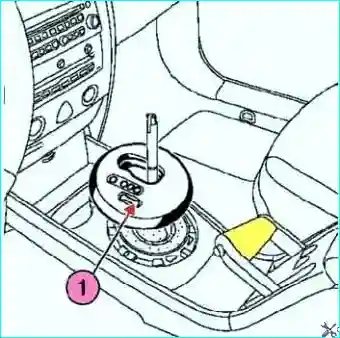
Fig. Removing the selector console decorative cover: 1 - cover
Disconnect the selector console decorative cover (Fig. 4).
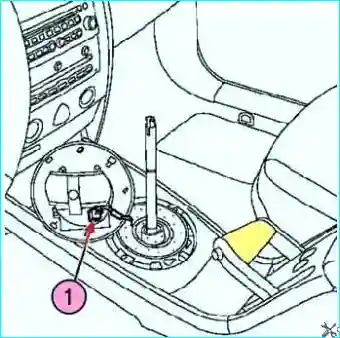
Fig. Disconnecting the selector connector: 1 - connector
Disconnect the selector connector and open the glove compartment (Fig. 5)
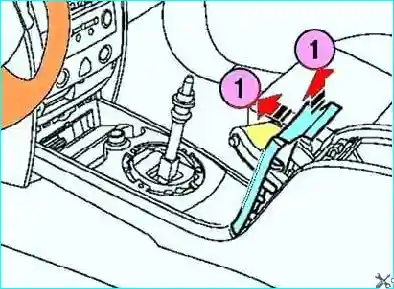
Fig. Removing the parking brake handle trim: 1 - trim
Remove the parking brake handle trim (Fig. 6).
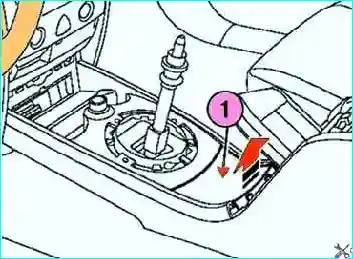
Fig. Removing the lower cover of the selector console: 1 - lower cover
Remove the lower cover of the selector console (Fig. 7)
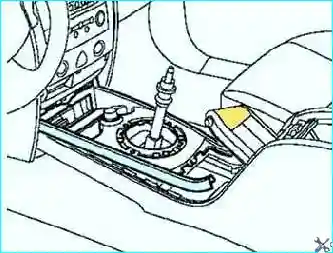
Fig. Disconnecting the Cigarette Lighter Connector
Disconnect the cigarette lighter holder and disconnect the cigarette lighter connector (Fig. 8).
Disconnect the seat heating element connectors (if equipped).
Remove both front seats.
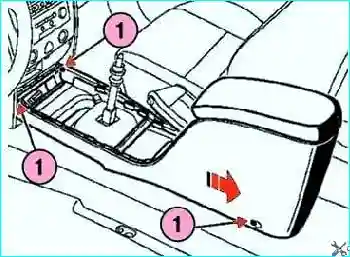
Fig. Removing the selector lever console: 1 - console mounts
Slightly slide the console in the direction of the arrow shown in Figure 9 and remove it
Removing the brake pedal on a vehicle with an automatic transmission
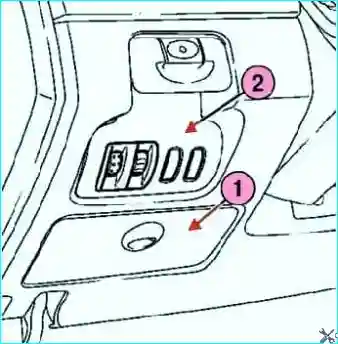
Fig. Removing the glove compartment and headlight range control switch: 1 - glove compartment, 2 - headlight range control switch
Disconnect the glove compartment and the headlight range control switch from the rear, and disconnect the connectors from the headlight range control switch panel (Fig. 10).
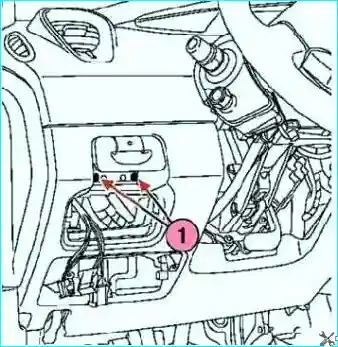
Fig. Removing the screws securing the automatic parking brake control handle: 1 - screws
Remove the screws securing the automatic parking brake control handle (Fig. 11).
Disconnect the connectors of the automatic parking brake control handle.
Remove the control handle.
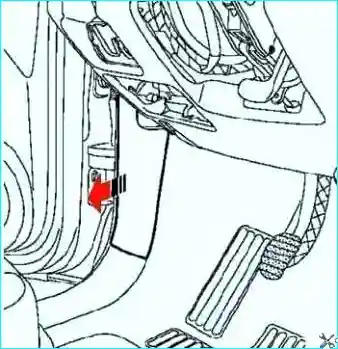
Fig. Disconnecting the front left pillar trim
Disconnect the front left pillar trim (Fig. 12).
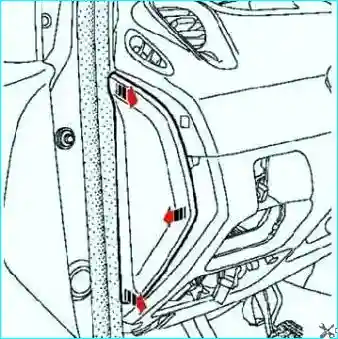
Fig. Removing the Side Dashboard Trim
Remove the side dashboard trim (Fig. 13).
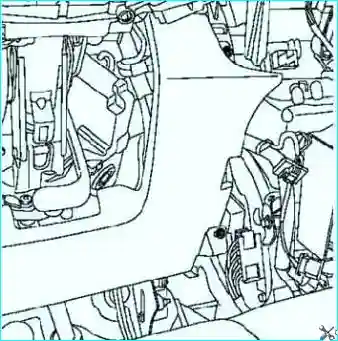
Fig. Removing the Lower Dashboard
Remove the mounting bolts and remove the lower dashboard (Fig. 14)
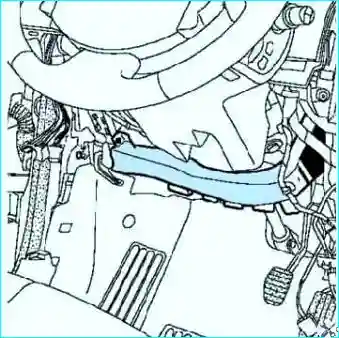
Fig. Removing the Air Duct
Remove the air duct (Fig. 15).
Remove the connecting shaft of the brake pedal-intermediate link assembly.
Disconnect the accelerator pedal position sensor connector.
Disconnect the brake light switch connector.
Turn the brake light switch a quarter turn counterclockwise.
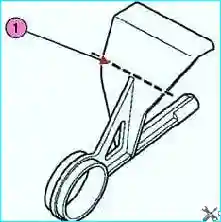
Fig. Cutting the pin: 1 - cutting line
Cut the pin (Fig. 16)
Insert the pin (Fre1752) from left to right (if the pedal is not being replaced).
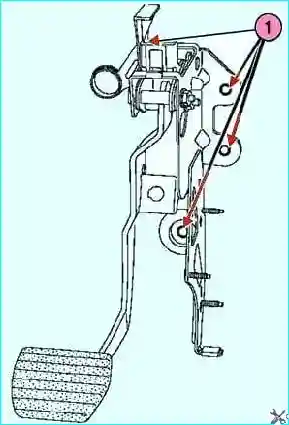
Fig. Brake pedal assembly mounting nuts: 1 - nuts
Loosen the brake pedal assembly mounting nuts (Fig. 17).
Remove the brake pedal-accelerator pedal assembly.
Loosen the mounting nuts and remove the accelerator pedal.
Installing the pedal
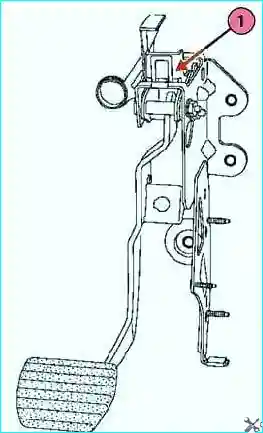
The pedal has a release system that is activated when collision.
Do not touch the pedal system: the pedal may drop to the floor on its own.
Do not remove the pin until the pedal assembly fasteners are installed and tightened.
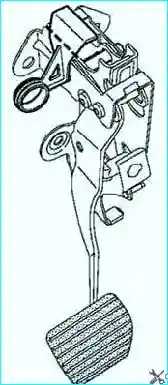
Fig. Pedal Pin Cut Line
Cut the pin at the location shown by the dotted line in the figure.
Installation is the reverse of removal.
Tighten the brake pedal fork mounting nuts to the specified torque of 21 Nm.
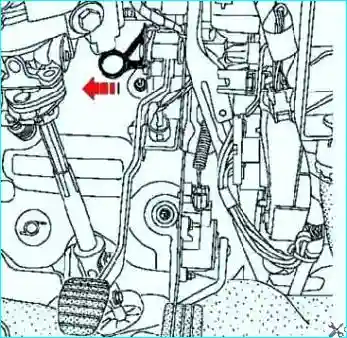
Fig. Removing the Pin
Remove the pin from the pedal (Fig. 19)
Check the presence and locking of the connecting shaft between the brake booster pushrod and the brake pedal.
Adjust the position of the brake light switch.
Connect the wires to the battery terminals, starting with the positive terminal.


