


In this article, we will look at replacing the bulbs, headlights, lamps and interior lights of the car.
The headlight units use optics with clear glass.
The headlight lens is smooth and does not perform the function of distributing the light beams.
It is made of plastic that is more transparent and lighter than a glass lens.
The direction indicators built into the headlight units are made without coloured filters; instead, bulbs with glass of a certain colour are used.
In the optional version, the vehicles are equipped with fog lights installed in the lower part of the bumper.
The fog lights can only be switched on with the steering column switch when the exterior lighting is on.
Replacing bulbs in the headlight unit
Disconnect the negative terminal of the battery.
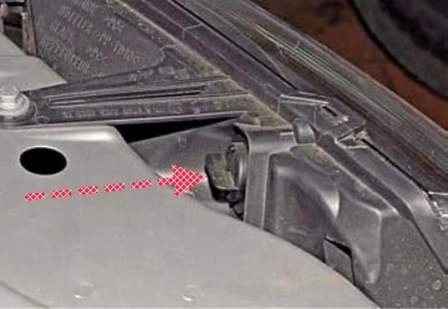
To replace the direction indicator bulb, turn the holder anticlockwise.
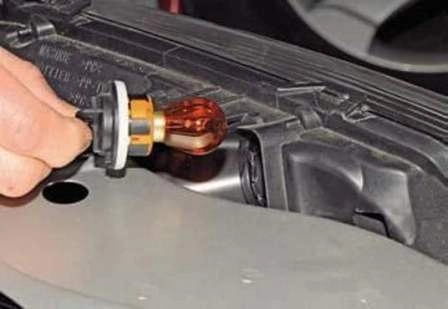
Remove the holder with the bulb from the headlight unit housing.
Press the bulb, turn it anticlockwise as far as it will go and remove the bulb from the holder.
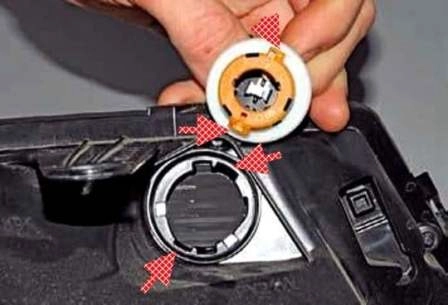
The direction indicator bulb holder has two fixing lugs of different widths; they must enter the corresponding slots in the headlight unit housing.
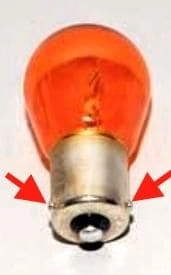
Install a new PY21W bulb in the reverse order.
There are two lugs on the base part of the bulb; they are arranged asymmetrically relative to the bulb axis and must enter the corresponding slots in the holder.
Replacing the main beam bulb
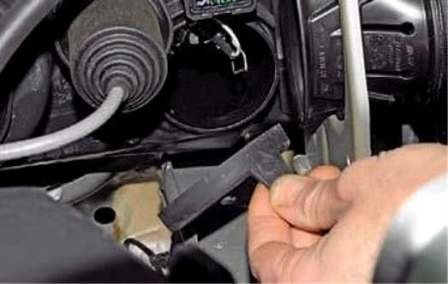
Remove the rubber protective cover of the main beam bulb.
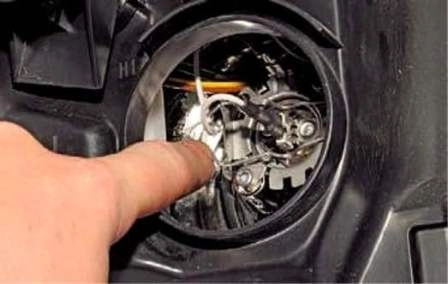
Press the spring clip of the bulb and release it from engagement with the reflector hooks.
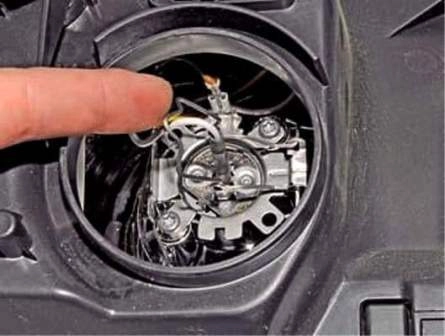
Move the clip to one side.
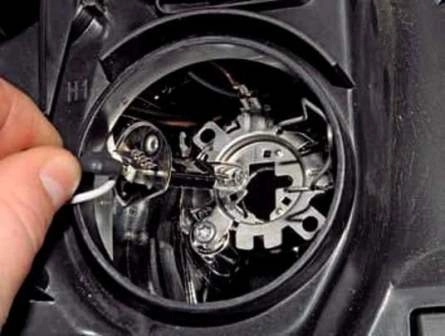
Remove the bulb from the headlight unit housing.
Install the H1 bulb in the reverse order.
Replacing the dipped beam bulb
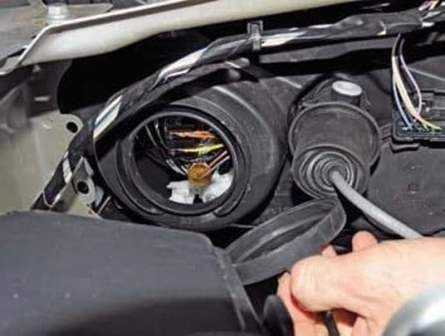
Remove the rubber protective cover of the dipped beam and sidelight bulbs.
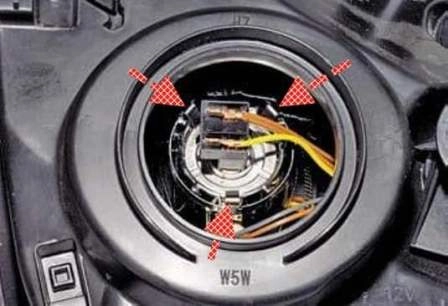
By pulling the bulb by the wiring connector, release it from the three spring clips.
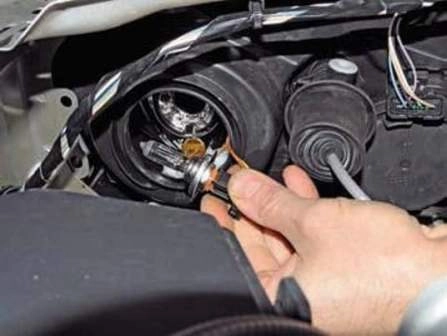
Remove the bulb from the headlight unit housing.
Disconnect the wiring connector from the bulb.
Connect the wiring connector to the new H7 bulb and, after inserting the bulb into the headlight unit housing, press the wiring connector until the spring clips engage.
Replacing the sidelight bulb
Remove the protective cover of the dipped beam and sidelight bulbs.
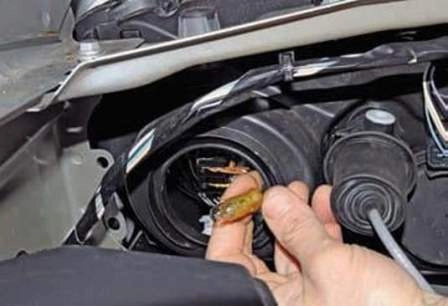
By pulling, remove the holder with the bulb from the headlight unit housing. Install the new W5W bulb in the reverse order.
Removing the headlight unit
Remove the front bumper (article — Removal and installation of bumpers).
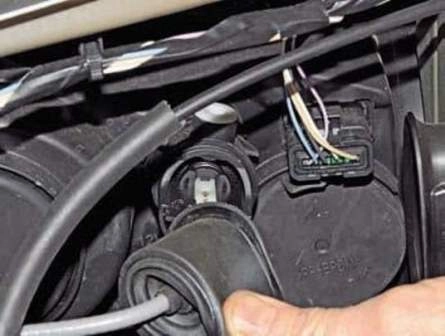
Remove the protective cover from the housing of the headlight beam corrector actuator.
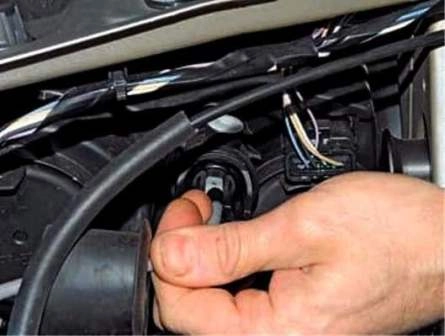
Remove the cable sheath from the holder on the actuator housing.
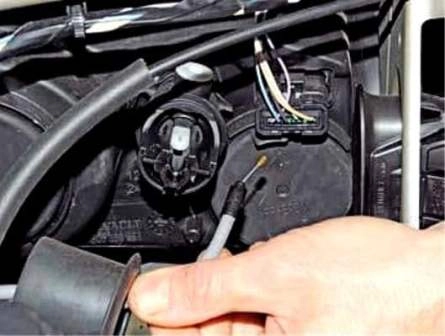
Disconnect the cable end from the rod of the headlight beam corrector actuator.
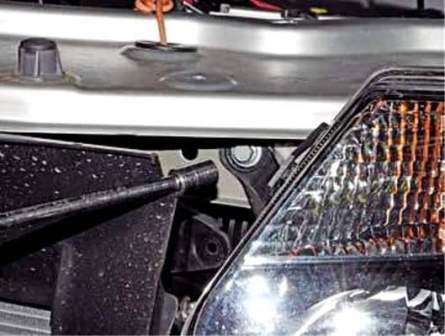
Using a 10 mm socket, undo the front mounting bolt of the headlight unit.
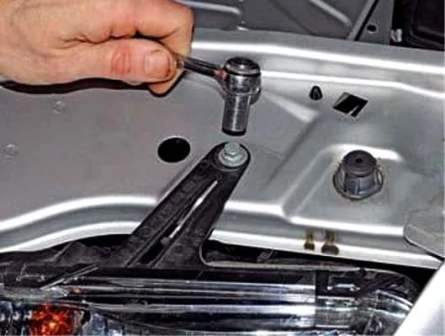
Using a 10 mm socket, undo the upper mounting bolt of the headlight unit.
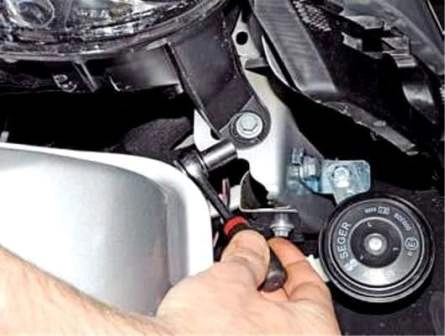
Undo the lower mounting bolt of the headlight unit.
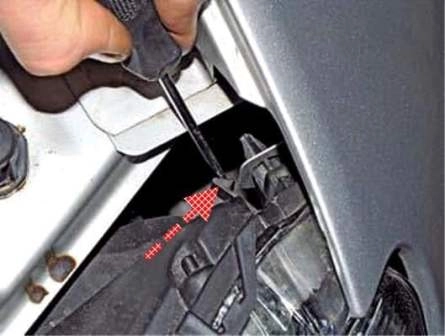
Using a screwdriver, press the clip and remove the headlight unit from the body.
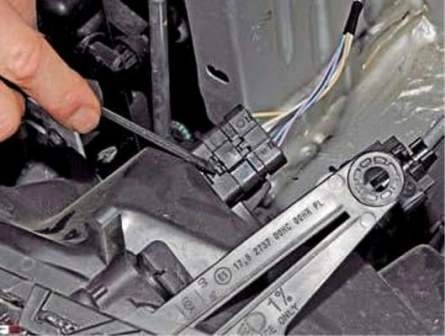
Using a screwdriver, prise up the wiring connector clip.
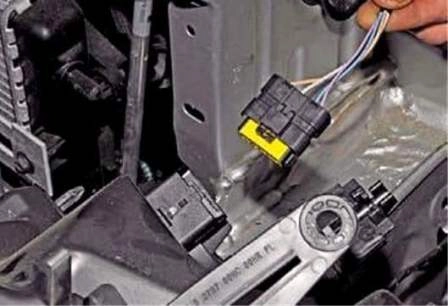
Disconnect the connector from the headlight unit socket.
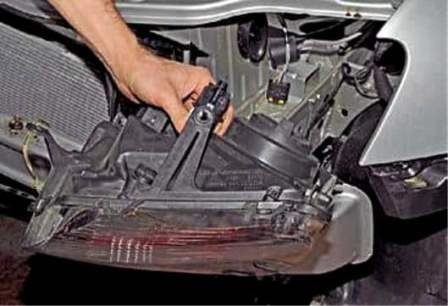
Remove the headlight unit.
Install the headlight unit in the reverse order.
After installing the headlight unit, adjust the direction of the headlight beam.
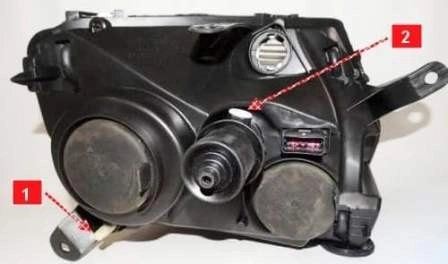
To change the direction of the beam in the vertical plane, use a 6 mm hex key (through the hole in the upper crossmember of the radiator frame) to turn screw 2.
To change the direction of the beam in the horizontal plane, turn handle 1.
Replacing the fog light bulb
Place the vehicle on an inspection pit or a lift.
Remove the front wheel on the side of the bulb being replaced.
Remove the mudguard (article — Removal of engine protection, wheel arch liners and mudflaps).
Undo three screws securing the wheel arch liner to the front bumper and one screw securing the wheel arch liner to the wing.
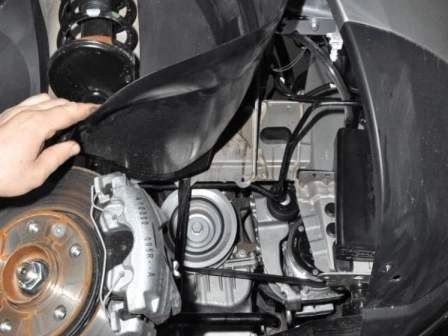
Bend back the front part of the wheel arch liner and tuck it behind the brake disc.
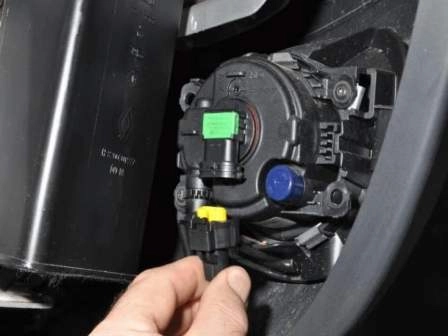
Press the wiring connector clip and disconnect the connector from the bulb.
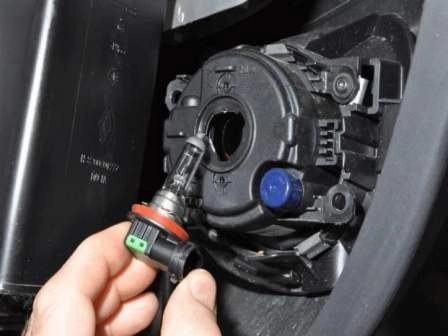
Remove the bulb from the light housing.
Install a new H11 bulb in the reverse order.
Removing the fog light
Prepare the vehicle as described above.
Bend back the front part of the wheel arch liner and tuck it behind the brake disc.
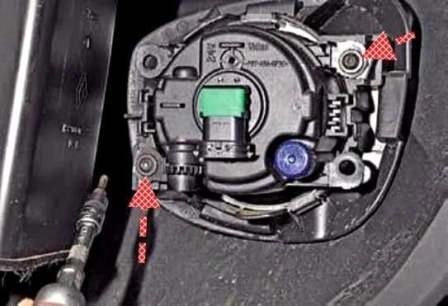
Disconnect the wiring connector from the bulb. Using a Torx T-20 key, undo the two screws securing the light.
Remove the fog light.
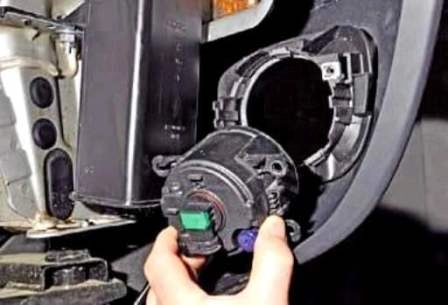
Install the fog light in the reverse order.
After installing the light, adjust the direction of the beam in the vertical plane.
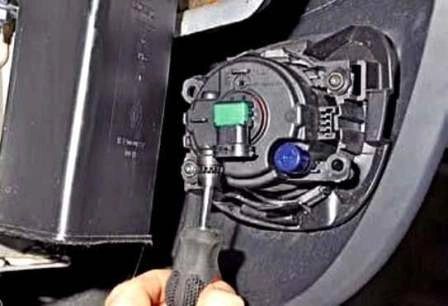
By hand or with a Phillips screwdriver, turn the plastic adjusting screw clockwise to raise the beam, or anticlockwise to lower the beam.
To adjust the direction of the fog light beam, openings are provided in the front bumper.
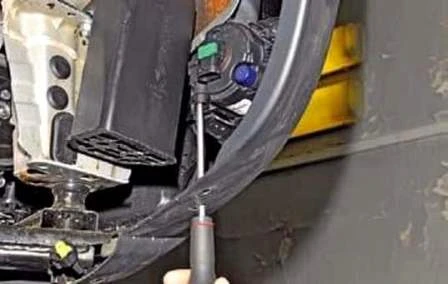
For adjustment, insert a long Phillips screwdriver into the opening and adjust the direction of the fog lights.
Removing the side direction indicator and replacing the bulb
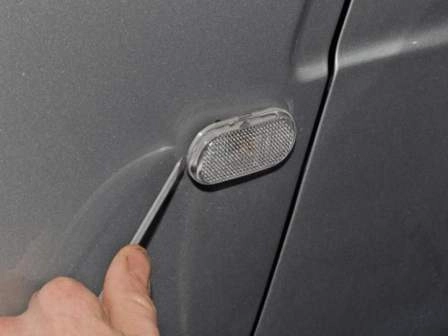
Using a screwdriver, prise up the direction indicator and remove it from the opening in the front wing.
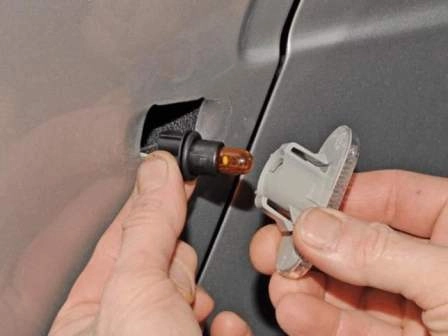
Turn the bulb holder anticlockwise and remove the holder with the bulb from the housing.
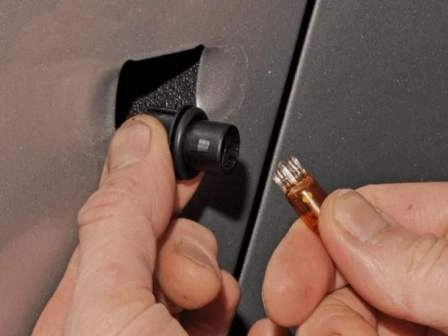
By pulling the bulb, remove it from the holder.
Insert a new WY5W bulb. Install the turn signal repeater in the reverse order.
Removing the rear light and replacing the bulbs
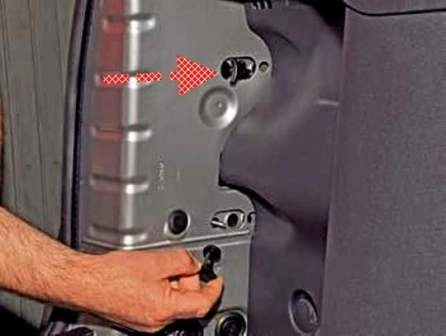
Undo the two plastic nuts securing the light.
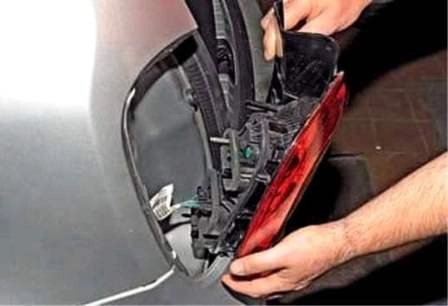
Move the light away from the vehicle body.
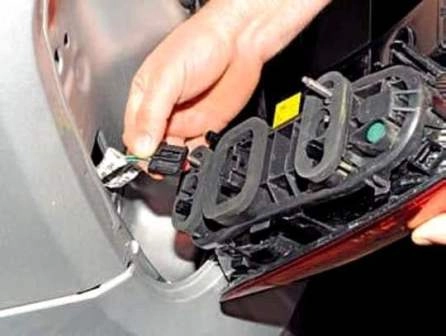
Press the clip and disconnect the wiring connector from the light socket. Remove the light.
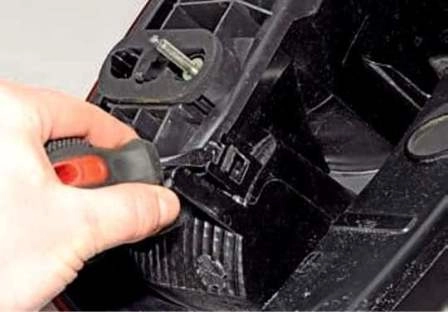
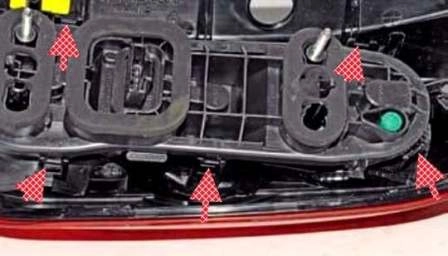
Using a screwdriver, press the five clips.
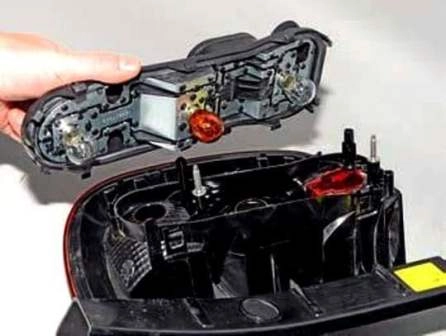
Remove the holder with the bulbs.
Press the bulb and, turning it anticlockwise, remove the twin-filament brake and tail light bulb from the holder.
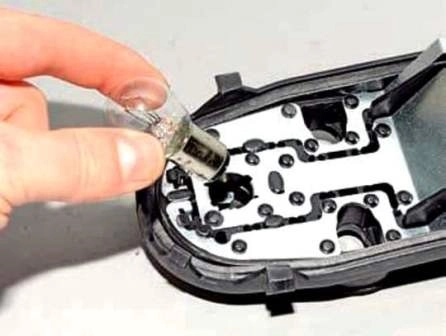
Install a new P21/5W bulb in the reverse order.
The lugs on the base are at different heights and must enter the corresponding slots in the holder when installed.
In the same way, replace the P21W fog light bulb (reverse light bulb in the right light) and the orange PY21W direction indicator bulb.
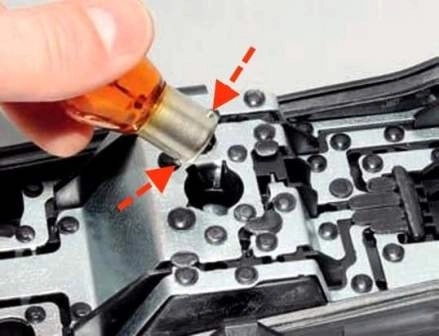
The direction indicator bulb has two lugs arranged asymmetrically relative to the bulb axis; they must enter the corresponding slots in the holder socket.
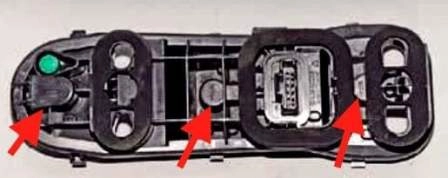
The bulb type is indicated on each socket of the bulb holder.
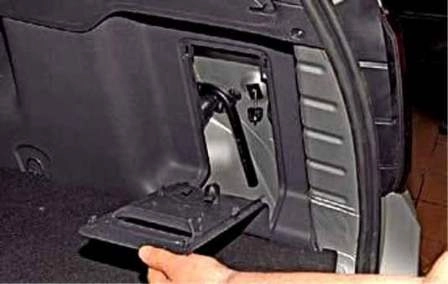
To access the nuts securing the right light, remove the boot trim access cover.
Install the rear light in the reverse order.
Replacing the bulb and removing the additional brake light
Open the tailgate.
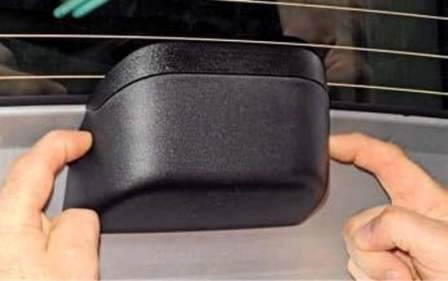
Press the two clips.
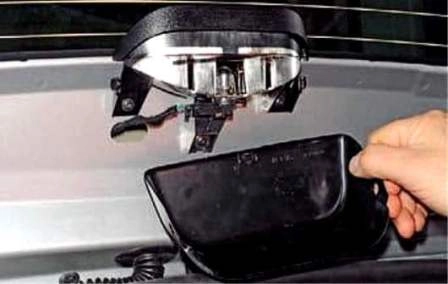
Remove the additional light cover.
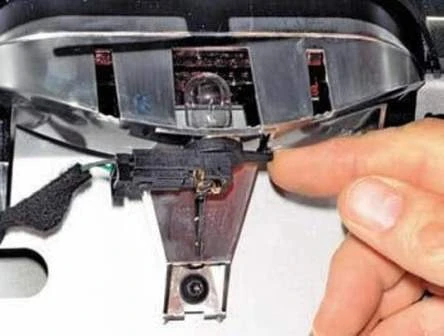
To replace the bulb, press the holder clip downwards.
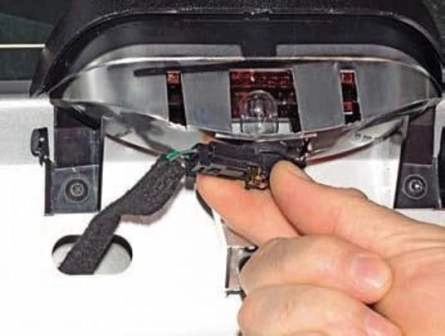
Turn the bulb holder clockwise.
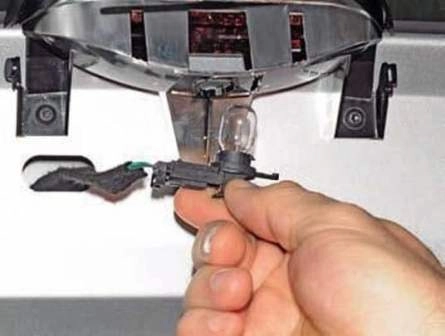
Remove the holder with the bulb from the light housing.
By pulling the bulb, remove it from the holder.
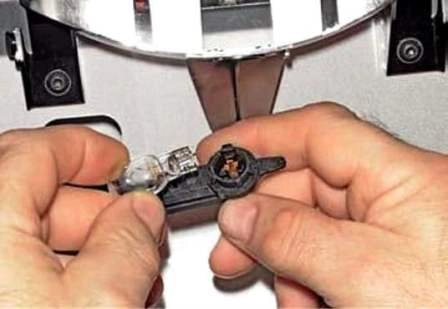
Install a new W16W bulb in the reverse order.
To remove the additional brake light:
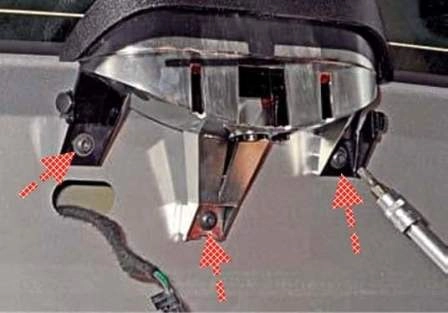
Using a Torx T-20 key, undo the three screws securing the light.
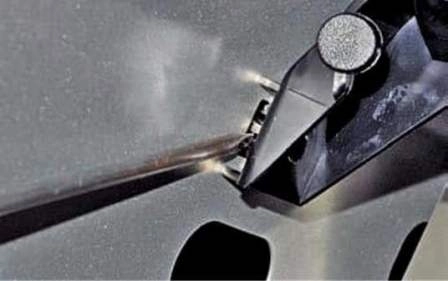
Using a screwdriver, press the three clips.
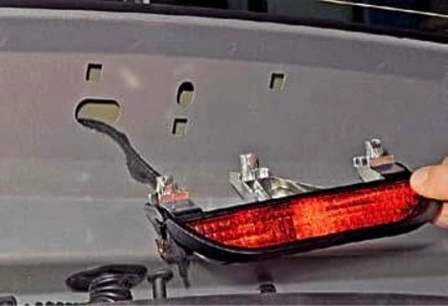
Remove the additional light.
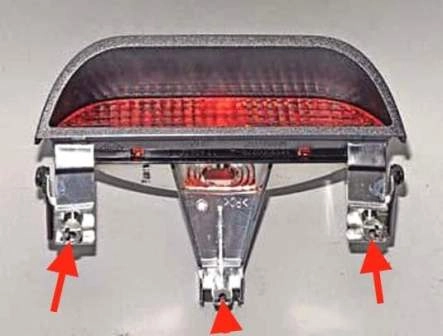
The location of the clips is shown in the figure.
The clip of the additional light is shown in the figure.
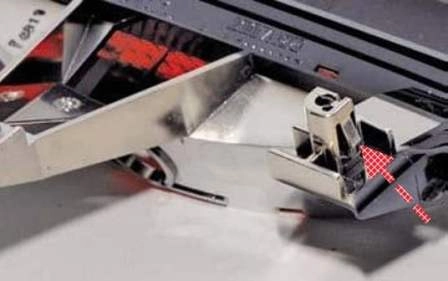
Install all parts in the reverse order.
Replacing the number plate light bulb and unit
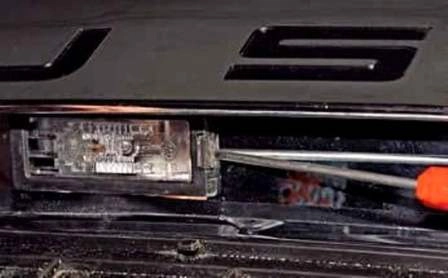
Using a thin flat screwdriver, press the plastic clip.
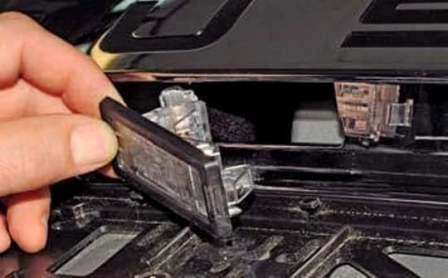
Remove the light from the tailgate opening.
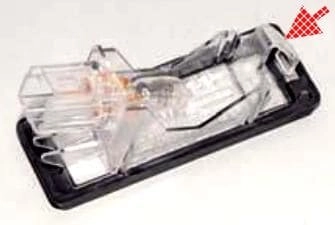
The light clip is shown in the figure.
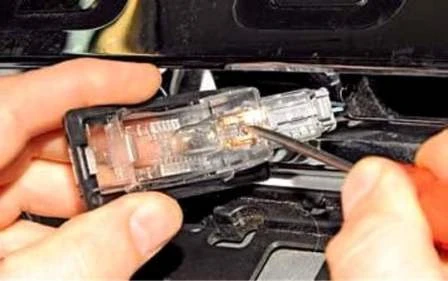
Using a flat screwdriver, prise up the bulb.
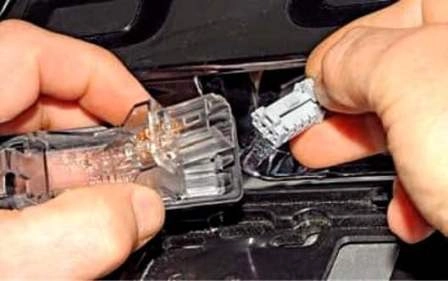
Remove the bulb from the contact terminals. Install a new W5W bulb in the reverse order.
If the light needs to be removed, disconnect the connector from the light socket. Install the light in the reverse order.
Removing the interior light and replacing the bulbs
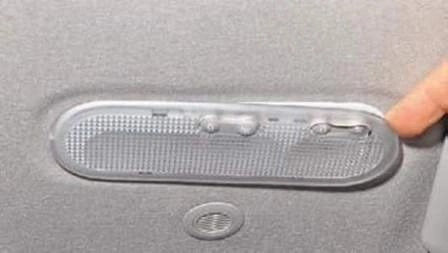
Prise up the lens and remove it.
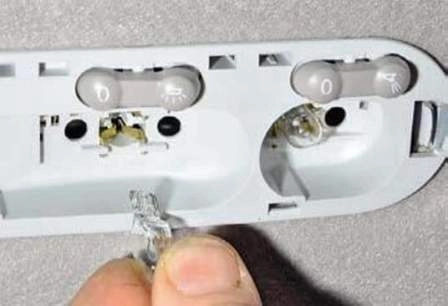
Remove the interior light bulb.
Install the W5W bulb in the reverse order.
To remove the interior light, remove the lens.
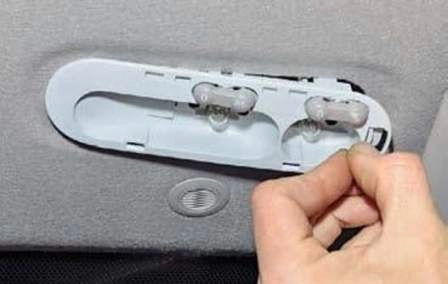
Press the plastic clip of the interior light and remove the light from the headlining.
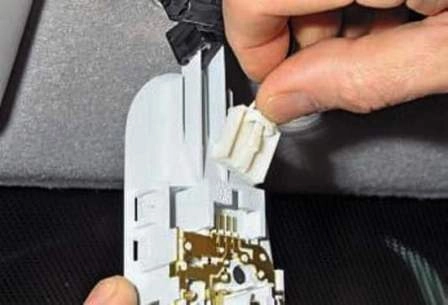
Press the wiring connector clip and disconnect the connector from the socket.
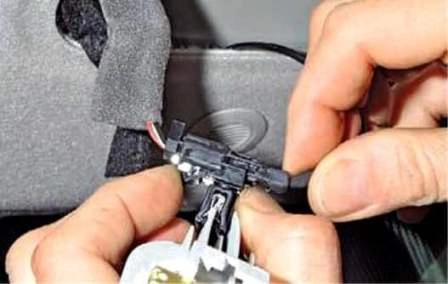
Press the wiring connector holder clip and slide the connectors off the holder on the interior light.
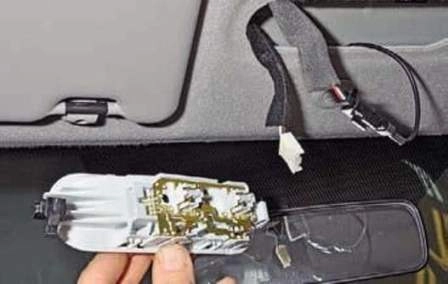
Remove the interior light.
Install the interior light in the reverse order.
Replacing the glovebox light and bulb
To replace the bulb, open the glovebox.
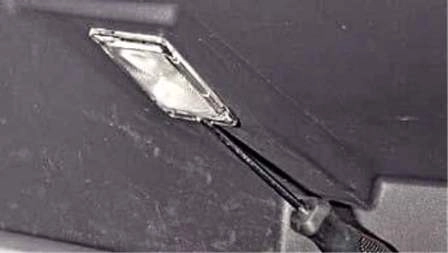
Using a screwdriver, prise up the light.
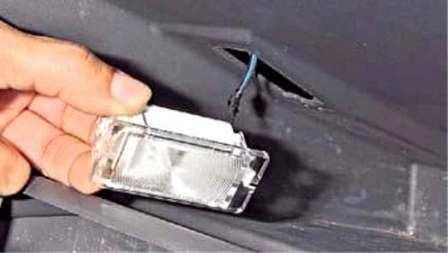
Remove the light from the glovebox opening.
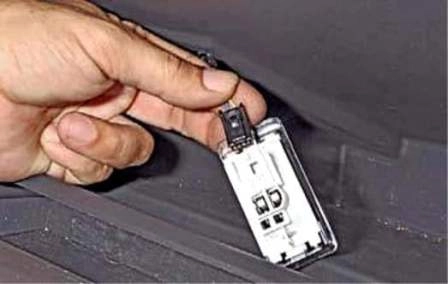
Press the clip and disconnect the wiring connector from the light socket.
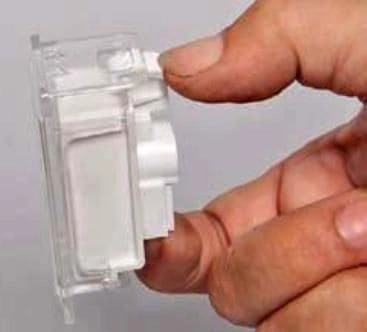
Press the clip.
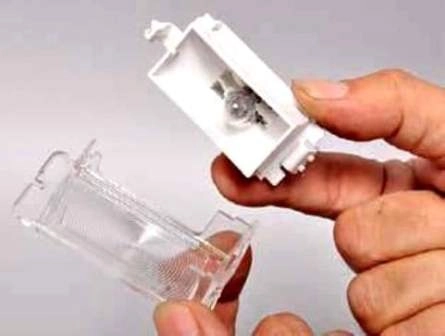
Remove the light lens.
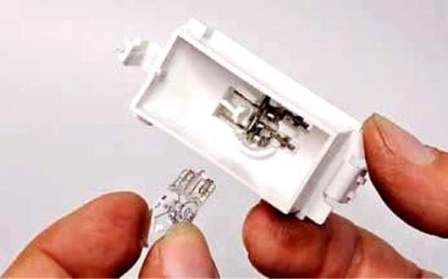
Remove the bulb from the light.
Install the W5W bulb in the reverse order.
To replace the light switch, open the glovebox.
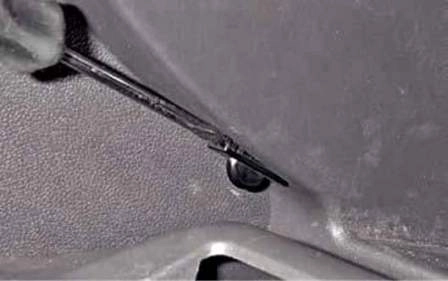
Using a screwdriver, prise up the switch.
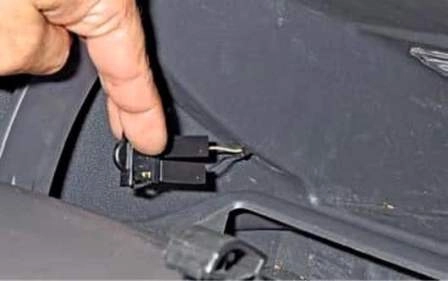
Remove the switch from the glovebox opening.
Disconnect the two wiring connectors from the switch terminals.
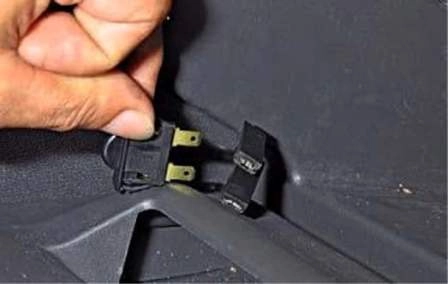
Remove the switch from the glovebox.
Install the switch in the reverse order.
Replacing the luggage compartment light and bulb
Disconnect the negative terminal of the battery.
Open the tailgate.
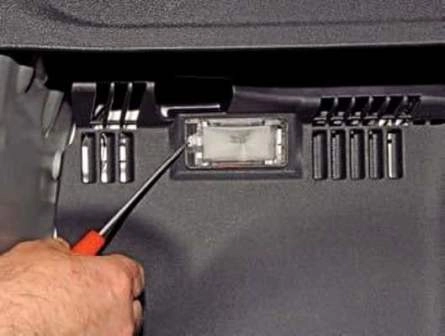
Using a screwdriver, prise up the light.
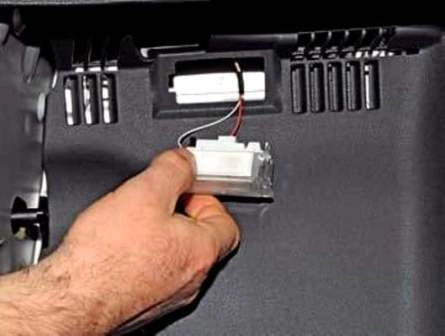
Remove the light from the luggage compartment trim.
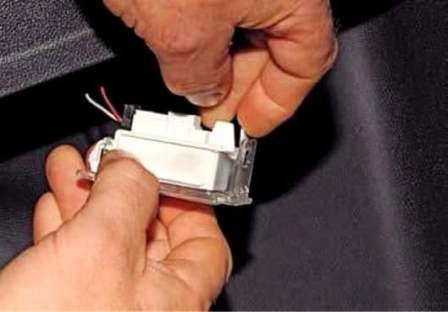
Press the lens clip.
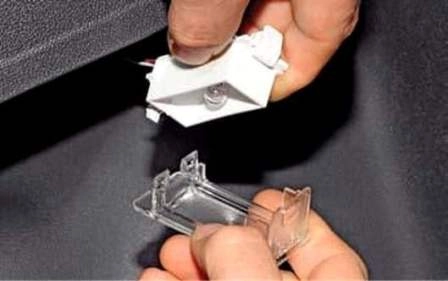
Remove the light lens.
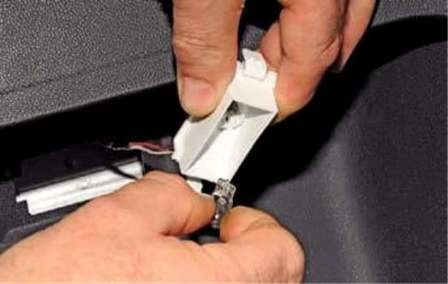
Remove the bulb from the light.
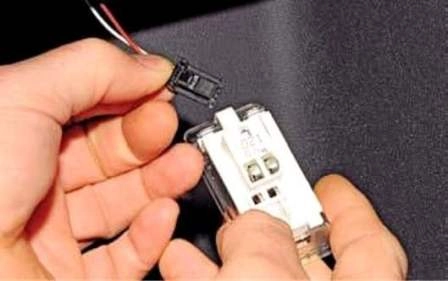
To remove the light, disconnect the connector from the socket.
The bulb used in the light is W5W. Install the luggage compartment light in the reverse order.


