


Removing and installing the clutch housing and driven disc (K4J and K4M engines)
Remove the gearbox
Install the locking tool (Mot582-01) (Fig. 1).
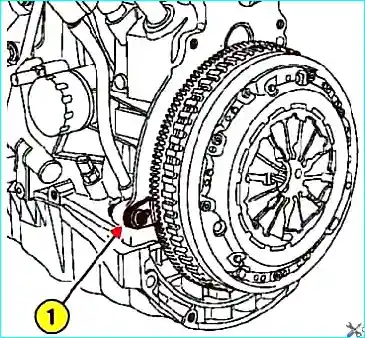
Fig. 1. Flywheel Locking: 1 – Locking Pin
Loosen the clutch housing mounting bolts.
Remove the clutch disc.
Vacuum the clutch housing with a clean cloth or other suitable equipment.
Do not use compressed air, as inhaling asbestos-containing dust is hazardous to your health.
Check the flywheel friction surface for cracks, burns, and surface wear.
Check the condition of the clutch disc friction linings. If they show signs of oil or mechanical damage, replace the clutch disc.
Clean the splines of the transmission input shaft and install the assembly without using grease.
Installation
Install the clutch disc.
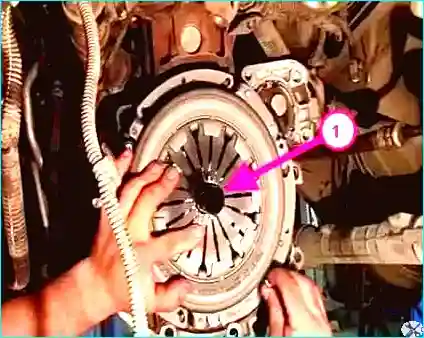
Fig. 2. Centering the driven disk: 1 – drift
Center the driven disk using drift (Emb1518) (Fig. 2).
Tighten the mounting bolts in a crisscross pattern in several steps.
Tighten the clutch housing mounting bolts to the specified torque (20 Nm) (K4J and K4M engines).
Removing and installing the clutch pressure plate and driven disk (F4R engine)
Remove the gearbox.
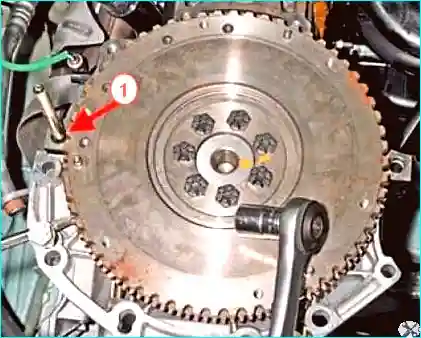
Fig. 3. Flywheel Locking: 1 – Locking Pin
Install the locking pin (Mot582-01) (Fig. 3).
Remove the clutch housing mounting bolts.
Remove the clutch disc.
Use a vacuum cleaner or a clean cloth to remove dust from the clutch housing.
Do not use compressed air, as inhaling dust containing asbestos is harmful to health.
Check the flywheel friction surface for cracks, burns, and surface wear.
Check the condition of the clutch disc friction linings and, if there are traces of oil or mechanical damage, replace the clutch disc.
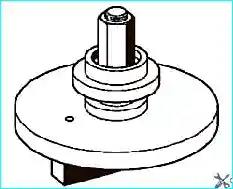
Fig. 4. Clutch housing pressure spring compression tool
If the clutch housing pressure spring is equipped with an automatic clearance adjustment system, compress the clutch housing pressure spring petals using the tool (Emb1604) (Fig. 4).
Installation
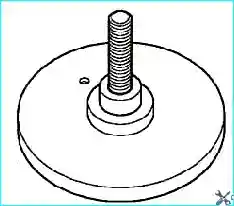
Fig. 5. Installing the fixture in a vice.
Install the fixture base (Emb1604) in a vice (Fig. 5).
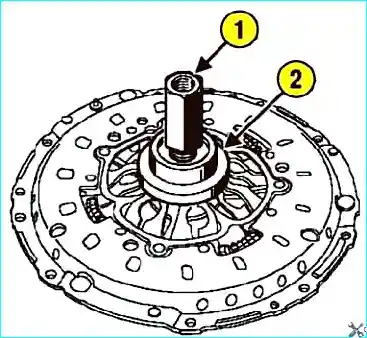
Fig. 6. Installing the clutch housing base. 1 – clutch release bearing; 2 – Nut
Install the clutch housing on the base, then the clutch release bearing and nut (Fig. 6).
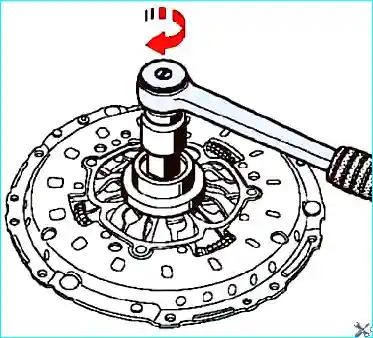
Fig. 7. Tightening the Nut
Tighten the nut until it stops (Fig. 7).
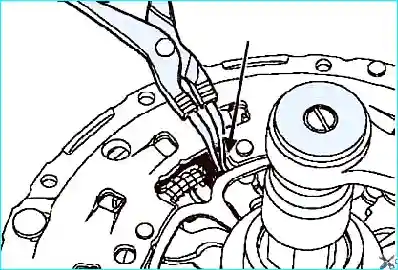
Fig. 8. Installing the circlip pliers
Install the circlip pliers in the location shown by the arrow in Figure 8.
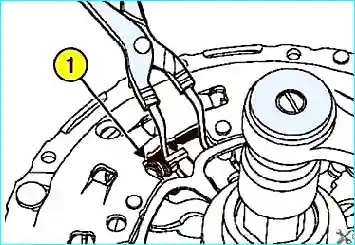
Fig. 9. Compression of the spring: 1 – spring
Compress the spring (Fig. 9).
Completely loosen the nut (with the springs compressed).
Remove the compression force from the clutch housing.
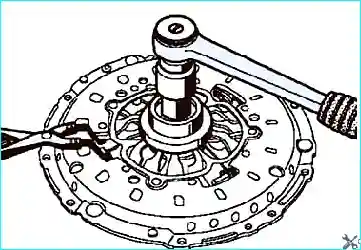
Fig. 10. Removing the Clutch Cover from the Base
Remove the clutch cover from the base, making sure the springs are compressed (Fig. 10).
Clean the splines of the transmission input shaft and install the assembly without using grease.
Degrease the flywheel surface under the clutch driven disc.
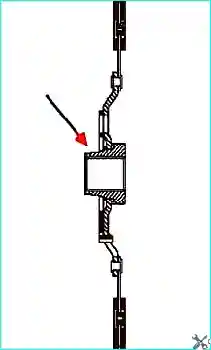
Fig. 11. Clutch Driven Disc Installation Direction
Install the clutch driven disc.
The side of the hub with the smaller diameter should face the flywheel, as shown in Figure 11.
To center the clutch driven disc, use the plastic drift included in the clutch repair kit (Emb1518).
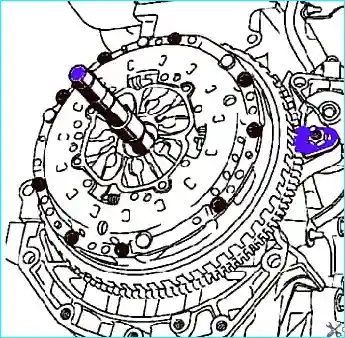
Fig. 12. Centering the Driven Disc
Install the clutch cover onto the flywheel (Fig. 12).
Tighten the clutch cover mounting bolts alternately in several steps (12 Nm).


